Build the demo game
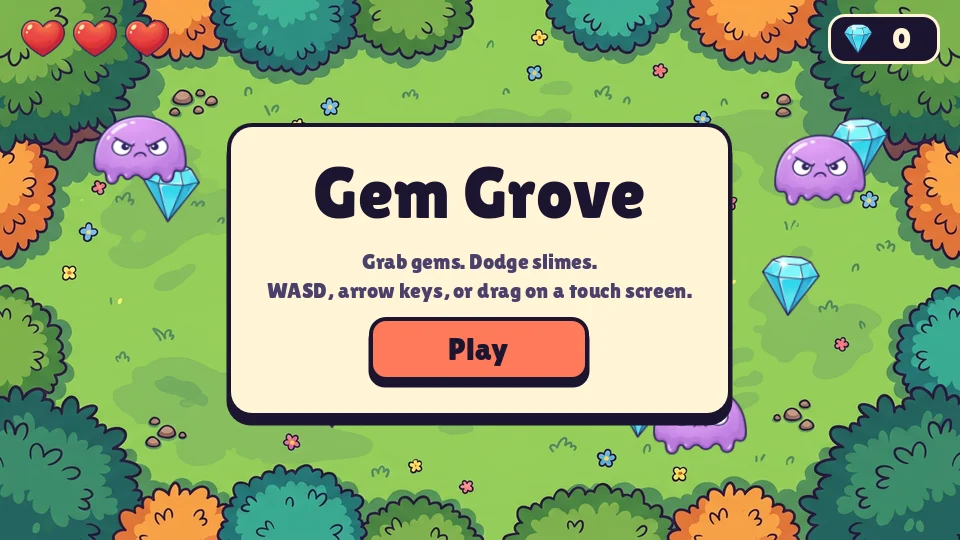
Gem Grove is the small game on the front page. You steer a robot around a clearing, pick up gems and keep away from three slimes. It has a title card, a health row, a score and a game over card.
The whole build is site/demo/build.sh. What goes in is art, one font, three sound effects and six GDScript files. Every scene, resource id, signal connection and project setting comes out of godot-cli, and the script captures a frame after each stage so you can see what each one added.
Run it
You need godot-cli and Godot on your path.
git clone https://github.com/unabated-games/godot-cli
cd godot-cli/site/demo
./build.sh
The project lands in gem-grove/ and the four frames in frames/. Open gem-grove/ in the editor afterwards and every scene is there to inspect and edit, the same as one you had built by hand.
Stage 1: a project and a level
godot-cli project new --project-root gem-grove --name "Gem Grove" \
  --main-scene res://main.tscn --width 960 --height 540
godot-cli project input apply --project-root gem-grove --intent intents/input.json
godot-cli scene new --output gem-grove/main.tscn --root-name Main --root-type Node2D \
  --project-root gem-grove
godot-cli scene apply gem-grove/main.tscn --patch intents/level_background.json \
  --project-root gem-grove
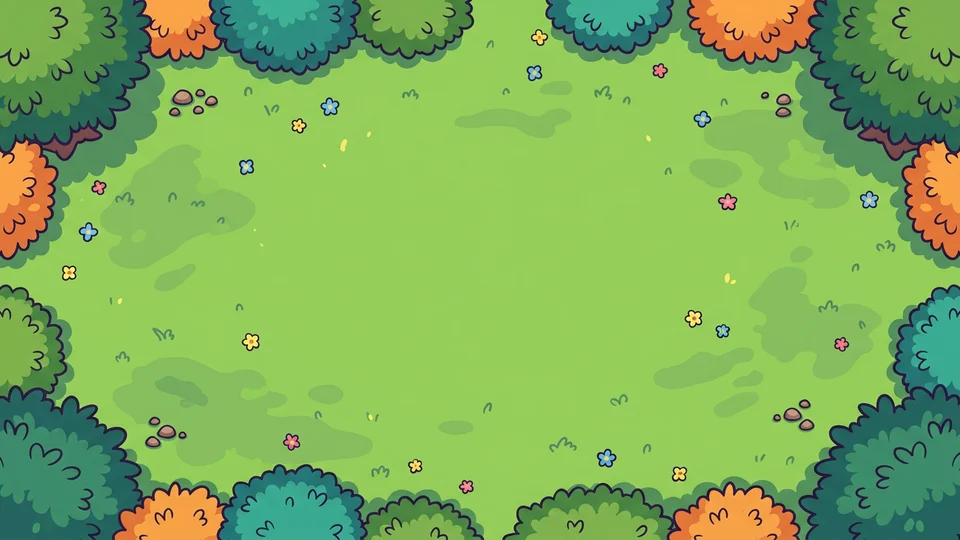
project new writes the project.godot the project manager would. The input intent binds four movement actions to WASD and the arrow keys. The patch registers the background texture and adds the Sprite2D that shows it:
{
  "ops": [
    { "op": "ext_add", "type": "Texture2D", "path": "res://art/bg.png", "id_hint": "bg" },
    { "op": "node_add", "parent": "/root/Main", "name": "Background", "type": "Sprite2D",
      "properties": { "texture": "ExtResource(\"Texture2D_bg\")", "centered": false } }
  ]
}
Then the first run, which imports the project and keeps the last frame:
godot-cli project run --project-root gem-grove --frames 5 --json
Stage 2: actors from the catalog
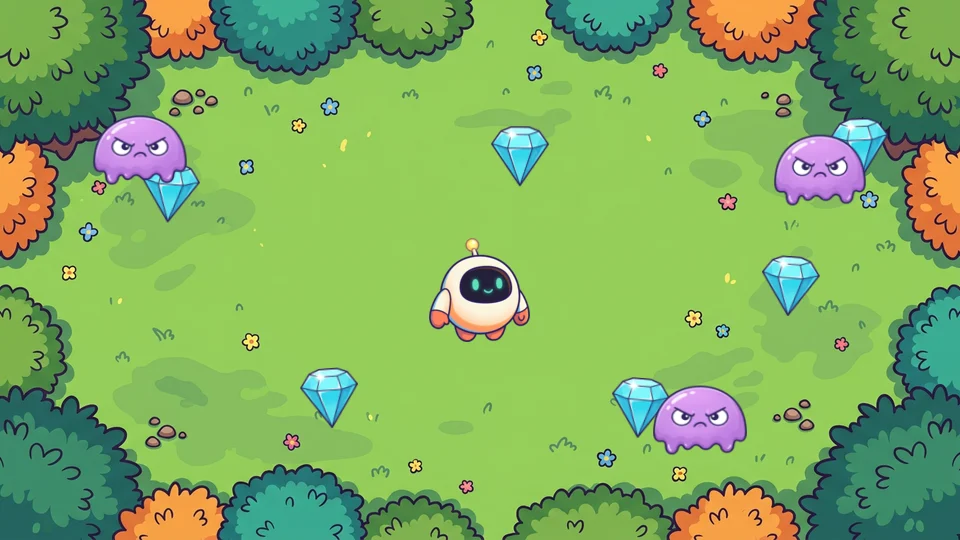
The robot, a gem and a slime are each their own scene, with a script on the root, a sprite and a collision shape. Each gets a catalog entry, so the level can place them by id:
godot-cli scene new --output gem-grove/actors/gem.tscn --root-name Gem --root-type Area2D \
  --script res://scripts/gem.gd --project-root gem-grove
godot-cli scene apply gem-grove/actors/gem.tscn --patch intents/gem.json --project-root gem-grove
godot-cli catalog add gem-grove/actors/gem.tscn --id actors/gem \
  --summary "A gem that emits collected when the player touches it" \
  --when-to-use "Anything the player picks up for score" --project-root gem-grove
A fourth scene, actors/pickup_fx.tscn, is the burst a gem leaves behind: a CPUParticles2D and a +1 label. It is not placed in the level, because the game spawns one each time a gem is picked up. That is what instantiate() is for. Everything that is always there goes in the scene file.
One patch then places six gems, three slimes and the robot. Each line is an instance with its position, and a slime also takes the velocity its script exports:
{ "op": "instance_add", "parent": "/root/Main/Slimes", "name": "Slime1",
  "catalog_id": "actors/slime",
  "properties": { "position": "Vector2(230, 300)", "velocity": "Vector2(150, 100)" } }
Stage 3: the HUD
The HUD is built from two small widgets, a heart and a button, which are scenes with catalog entries of their own. The button's look is three StyleBoxFlat sub-resources and a font, all set on the node, so the editor shows it styled without running the game.
intents/hud.json is the largest patch in the build. It adds 23 nodes under the HUD root in one write: the health row, the score, a touch joystick, a title card and a game over card, with the two buttons instanced from the catalog and their pressed signals connected to the HUD script.
godot-cli scene apply gem-grove/ui/hud.tscn --patch intents/hud.json --project-root gem-grove
godot-cli catalog add gem-grove/ui/hud.tscn --id ui/hud \
  --summary "Hearts, score, title card and game over card" --project-root gem-grove
godot-cli scene apply gem-grove/main.tscn --patch intents/level_hud.json --project-root gem-grove
The joystick is Godot's own VirtualJoystick control, filling the screen and set to appear where a finger lands. Its four action properties name the same input actions the keyboard uses, so the player script needs nothing extra for a phone:
{ "op": "node_add", "parent": "/root/HUD", "name": "Stick", "type": "VirtualJoystick",
  "properties": { "anchors_preset": 15, "anchor_right": 1.0, "anchor_bottom": 1.0,
    "joystick_mode": 1, "visibility_mode": 1,
    "action_left": "&\"move_left\"", "action_right": "&\"move_right\"",
    "action_up": "&\"move_up\"", "action_down": "&\"move_down\"" } }
Stage 4: rules, then a test drive
The last patch attaches main.gd to the root, adds three AudioStreamPlayer nodes for the sound effects, and adds eleven connections: each gem's collected, each slime's touched, and the HUD's play_pressed and retry_pressed. Nothing is connected in _ready().
The scripts hold the rules and the feel: the pop when a gem appears, the knockback and blink when a slime lands a hit, the screen shake, the spin when the last heart goes, and slimes that speed up as the score climbs. All of it is tweens on nodes the scenes already contain.
Every scene is validated, and then the game is driven:
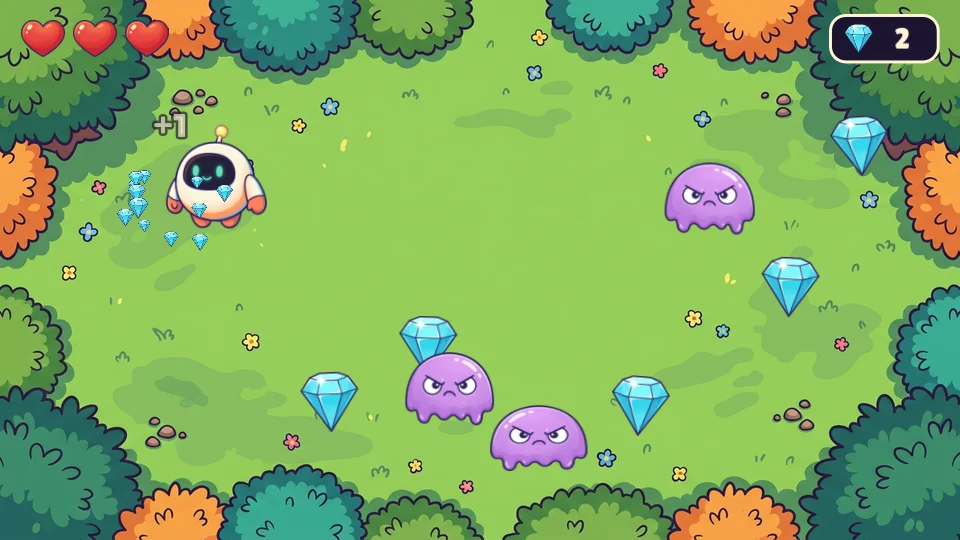
godot-cli project run --project-root gem-grove --frames 178 \
  --click /root/Main/HUD/Center/TitleCard/Column/PlayButton@10 \
  --press move_right@20..55 --press move_up@50..75 --press move_left@80..170 \
  --user-arg --seed=7 --json
That clicks Play on frame 10 and holds three movement actions in turn, which walks the robot into two gems. --user-arg --seed=7 reaches the game's own script, which seeds where a collected gem reappears, so the run comes out the same every time. The run passes with no errors in the log, and the frame shows the title card gone, a score of 2 and the burst from the second pickup.
Export it for the browser
With Godot's export templates installed, WEB=1 ./build.sh adds a Web preset with project export apply, runs project export build, and copies the result to web/. That is the build the front page plays.
Where the art came from
The sprites, the background and the key art were generated with an image model, then cut out and scaled. The three sound effects are written by make_sounds.py from sine waves and noise. The font is Lilita One, under the SIL Open Font License. The scripts are in site/demo/src/scripts.